
Google Play Store
Google LLCTools
4.928.00M Reviews
- Version
- Varies With Device
- Installs
- 10.00B
- Age Rating
- Everyone
Screenshots
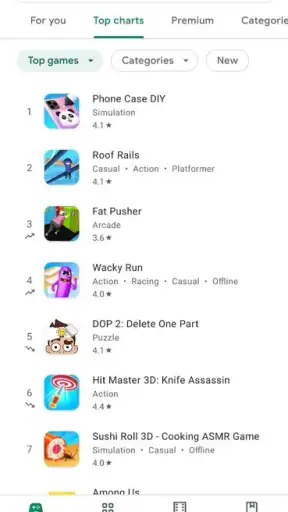
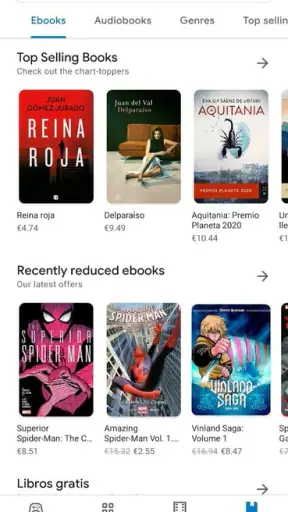
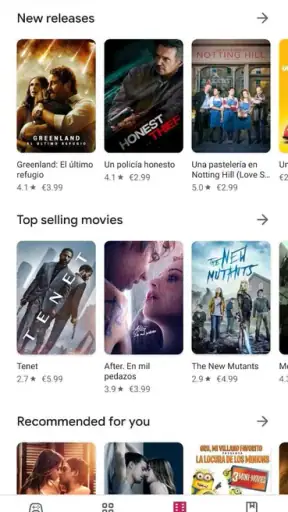

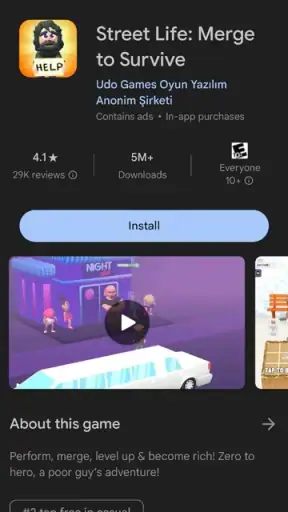
Our Review of Google Play Store
 Analysis by Appyee
The small frustration I notice most often with a phone is not a lack of things to do; it is the effort of finding the right app, checking whether it fits, and keeping it current. On Android, Google Play Store brings those jobs into one familiar place. I use it less like a shop window and more like a practical starting point: search for a tool when a need comes up, compare the options, then return later when an update is available.
That convenience matters most when I have a specific task in mind. If I need a way to scan a document, plan a trip, or fill a quiet moment with a game, I can look in one place rather than hunt across unrelated websites. It is a free Tools app from Google LLC, rated for Everyone, and its enormous reach—over ten billion installs—means most Android users will recognize the basic routine quickly.
A familiar place to solve recurring phone problems
What makes the store useful is not simply the size of its catalogue. It is the path from “I need something for this” to a short list of candidates. I can search by a task, browse categories when I am still deciding, and use ratings and written reviews as a first screening step. The store has a 4.9 average across around 130 million ratings, though I still treat those numbers as a broad signal rather than proof that an app will suit me.
For example, a high score can tell me that many people are generally satisfied, but it cannot tell me whether an app works well with my particular phone or whether its interface makes sense to me. I read recent comments for recurring complaints and check the app’s own description before installing. That small habit saves more time than downloading the first result and hoping for the best.
The scale also makes the store useful for less obvious searches. I might arrive looking for a calendar and discover a focused planner, or search for a simple puzzle and find several styles of game. That breadth is an advantage when I am exploring, but it can also make choosing harder. Search results are a starting point, not a personal recommendation from someone who knows my needs.
Making the first search more useful
When I know what I want, I use a plain description of the job rather than a vague label. Searching for a specific task narrows the field more effectively than typing a broad word such as “photo” or “travel.” If I am open to alternatives, I browse a category and compare a few candidates instead of installing several at once. This keeps my home screen and storage from filling with apps I only meant to test.
I also pause before tapping install. I look at the app name and developer, scan the description, and check whether the reviews mention the use I have in mind. For something I will rely on, such as a work or accessibility tool, I pay more attention to repeated reports about reliability than to a single enthusiastic comment. The store makes discovery straightforward, but a little judgement on my part is still essential.
Useful beyond the first download
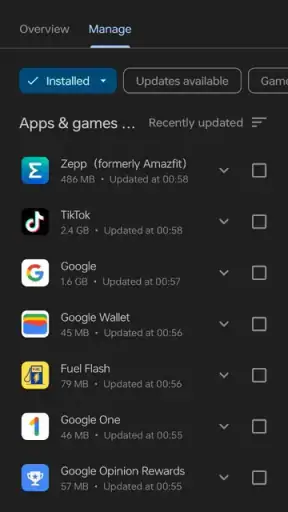
After installation, the store remains a convenient place to revisit the apps I already use and handle updates. I prefer to check updates when I have a moment to review them rather than let a long list become a surprise task later. Updates can bring changes that matter, so I read the notes when they are available and avoid updating in the middle of something important. For a device shared with family, checking which account is active before downloading also helps prevent confusion about where an app is associated.
The store’s reach is reflected in its history: it was released on October 18, 2010, and has accumulated around 28 million reviews. Those figures help explain why it has become a routine part of Android use, but they do not remove the usual trade-offs of a large marketplace. Search can bring up many similar choices, reviews vary in usefulness, and the experience depends partly on the app being offered, not just on the store itself.
Endless Choices at Your Fingertips
Imagine walking into a massive library where you can find pretty much anything you want. That's exactly what the Google Play Store feels like. From productivity apps that help you organize your life, to games that turn your daily commute into an exciting adventure, there’s something for everyone.
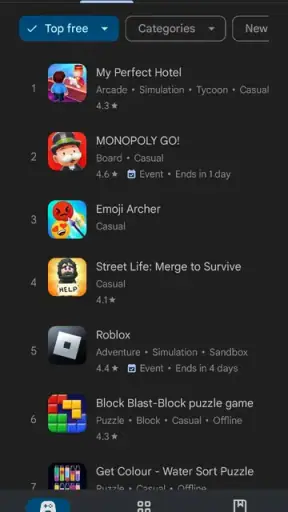
What I love about it is how easy it is to find what you’re looking for. The search functionality is pretty solid, and the store is organized into categories, making navigation a breeze. Plus, those personalized recommendations? They’re on point!
Apps, Games, and More
Let’s talk about the apps. Whether you’re a social media junkie, a fitness enthusiast, or a business professional, the Play Store has apps tailored to your needs. And the best part? Many of them are free! Of course, there are premium options too, which often come with extra features or an ad-free experience.
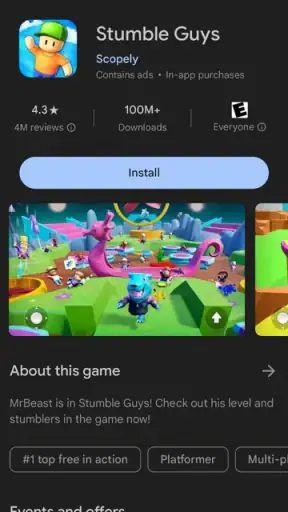
Now, onto the games. If you’re into gaming, you’re in for a treat. The selection ranges from casual puzzles to intense RPGs. And let's not forget about the constant updates and events that keep things fresh. Trust me, you’ll never be bored again.
Music, Movies, and Books Galore
The Play Store isn’t just about apps and games. It’s a full-fledged entertainment hub. You can buy or rent the latest movies, browse through a vast collection of music, and even download e-books. It’s like carrying a mini entertainment center right in your pocket.
And hey, if you’re into trying before buying, there’s a neat feature where you can listen to previews of songs or read a sample of a book. It’s pretty nifty!
Keeping It Safe and Secure
Security is a big deal when it comes to downloading apps, and the Play Store doesn’t disappoint. Google Play Protect is there to scan apps and keep your device safe from any pesky malware. It’s like having a little guardian looking out for you, which is always reassuring.
Plus, the user reviews and ratings give you an idea of what to expect before you hit that download button. It’s like getting advice from a friend who’s already tried it out.
In a nutshell, the Google Play Store is more than just an app marketplace. It’s a gateway to a world of entertainment and utility, all bundled into one neat package. So, if you haven’t explored it yet, what are you waiting for? Dive in and find your next favorite app or game today!
When the breadth helps—and when it gets in the way
In an ordinary day, the time-saving benefit is modest but repeated. I might need a parking app before leaving home, compare a couple of choices over breakfast, then check for updates while waiting for a ride. The store keeps discovery and maintenance close together, so I do not have to remember where I originally found each Android app. For someone who installs tools only occasionally, that single destination is still useful because there is no separate routine to learn for each developer.
It is less helpful when I already know exactly which app I want and have a trusted route to it: searching again can add an unnecessary step. Likewise, someone who prefers a tightly curated catalogue may find the volume tiring. A smaller selection can make decisions easier, while the Play Store’s scale is better when I want choice, familiar access, and a central place to manage Android downloads.
There is also a practical difference between the store and the apps it offers. The marketplace can help me find an option, but it cannot make every third-party app well designed, dependable, or suitable for my needs. I do not treat availability as endorsement. For an app that will handle an important task, I check its details and user feedback, then test it with something low-stakes before relying on it.
Small habits that prevent wasted installs
When two results look similar, I compare their descriptions and reviews for the exact job I need done rather than choosing by icon or name. I look for comments that describe a concrete problem or successful use, and I give more weight to patterns than isolated praise. If the reviews discuss a different device or purpose, they may not tell me much about my situation. This is a useful way to turn a crowded search into a more deliberate choice.
I also keep the first test narrow. If I am trying a new note-taking app, for instance, I use it for one short list before moving important notes into it. For a game, I can see whether its controls and pace suit me before investing more time. This approach makes the store’s vast range less overwhelming: I am not trying to identify the perfect choice from a page of results, only a reasonable candidate worth testing.
Updates deserve a similar bit of attention. I do not assume every update will change how I use an app, but when a tool is central to my day, I avoid updating just before I need it. I choose a quieter moment, check the update information, and make sure I can still complete the task if the app’s layout or behavior has changed. That is a small precaution, not a reason to avoid updates; it simply respects the fact that convenience depends on the app continuing to work for me.
Who will get the most from it
I would recommend the store to Android users who regularly try new tools, play different games, or want one familiar place to revisit installed apps. It is especially useful for someone setting up a new phone: searching by everyday need makes it possible to rebuild a practical collection in stages rather than install everything at once. Families can also benefit from the straightforward discovery process, provided the person choosing an app checks that it is suitable for the intended user.
On the other hand, it is not the right answer for someone using an iPhone, since this is an Android marketplace. It may also disappoint people who want every listing to be carefully hand-picked or who expect ratings to guarantee quality. If I need professional advice about a sensitive tool, or a specific app recommended by an organization, I would follow that recommendation and verify the developer rather than substitute a popular search result.
The age rating is Everyone, which makes the marketplace broadly accessible, but I would not take that as a promise that every app inside is appropriate for every person or every situation. I still review an individual app before a child or less experienced user installs it. The store is the doorway; the contents are varied, and sensible selection remains part of using it well.
A practical choice, with ordinary caveats
For a reader wondering whether it costs anything to use, the store itself is free. Individual apps and other offerings may have their own terms, so I check the details of a specific item rather than assume that every download or piece of content is free. That distinction is worth keeping in mind when browsing entertainment alongside everyday utilities.
My overall view is that this is a useful piece of Android infrastructure precisely because it reduces small bits of friction: finding an app, comparing alternatives, and returning to manage updates. Its strongest point is convenience at scale, not a guarantee that every search will produce a perfect match. I save time when I search with a clear task in mind and make a quick, thoughtful comparison; I lose time when I browse without a purpose or trust a rating alone.
With a 4.9 average and more than 130 million ratings, it is clearly a familiar choice for a huge number of users, and Google LLC has built a marketplace that has been part of Android life since 2010. I still think of it as a starting point rather than a decision-maker. If you use Android and want a central place to find apps, games, and entertainment, I would keep it close. If you prefer a smaller, manually curated catalogue or are not on Android, another route will suit you better.
Verdict
Strengths of Google Play Store
- Vast app selection available.
- Frequent updates enhance security.
- Easy-to-navigate interface.
- Google Play Protect for safety.
- Seamless integration with Google services.
Limitations of Google Play Store
- Occasional app compatibility issues.
- In-app purchases can add up.
- Some apps have intrusive ads.
- Limited parental control options.
- Region-specific app availability.
Other Releases by Google LLC
View All
Google Calendar
Productivity4.6

Google Messages
Communication4.6

Tools4.0

Google TV
Video Players & Editors3.9
Similar Picks in This Category
View AllGoogle LLC4.0

Gboard - the Google Keyboard
Google LLC4.5

Google Play services
Google LLC4.3

Files by Google
Google LLC4.5

SHAREit: Transfer, Share Files
Smart Media4U Technology Pte.Ltd.4.3

Google Lens
Google LLC4.7
You May Also Like
View All

Frequently Asked Questions
What is Google Play Store and how does it work?
Google Play Store is the official app store for Android devices, offering a vast selection of apps, games, books, music, and movies. Users can browse, download, and install content directly onto their devices. With an intuitive interface, it allows users to search by category, read reviews, and check ratings to make informed decisions.
How do I ensure the apps I download from Google Play Store are safe?
Google Play Store employs Google Play Protect, which regularly scans apps for malware and security issues. It's advisable to check the app’s permissions, developer credibility, and user reviews before downloading. Keeping your device updated and being cautious with downloads can further ensure safety.
Can I use Google Play Store on non-Android devices?
Google Play Store is primarily designed for Android devices. However, certain content such as movies and music can be accessed on non-Android devices through Google Play's web portal. For app downloads, an Android device with a Google account is necessary to access the full suite of features.
How do I resolve issues with downloading or updating apps on Google Play Store?
Common solutions include clearing the cache and data of the Google Play Store app, ensuring a stable internet connection, and checking available device storage. If issues persist, restarting the device or uninstalling recent updates might help. For continued problems, reaching out to Google Support is recommended.
Are there any costs associated with using Google Play Store?
While downloading and using the Google Play Store is free, some apps and content may require payment. Many apps offer in-app purchases, subscriptions, or premium versions. Prices are clearly displayed prior to purchase, allowing users to make informed buying decisions. Always review the terms before purchasing.
